

Use Vantage to deploy a Jupyter notebook environment in minutes. Whether you're running workloads on-premises or in the cloud, Vantage makes it simple.
Navigate to the notebooks tab in the main menu.

Click “Create Notebook” in the upper right corner of the page.

Give your Notebook a name, select your cluster and partition.
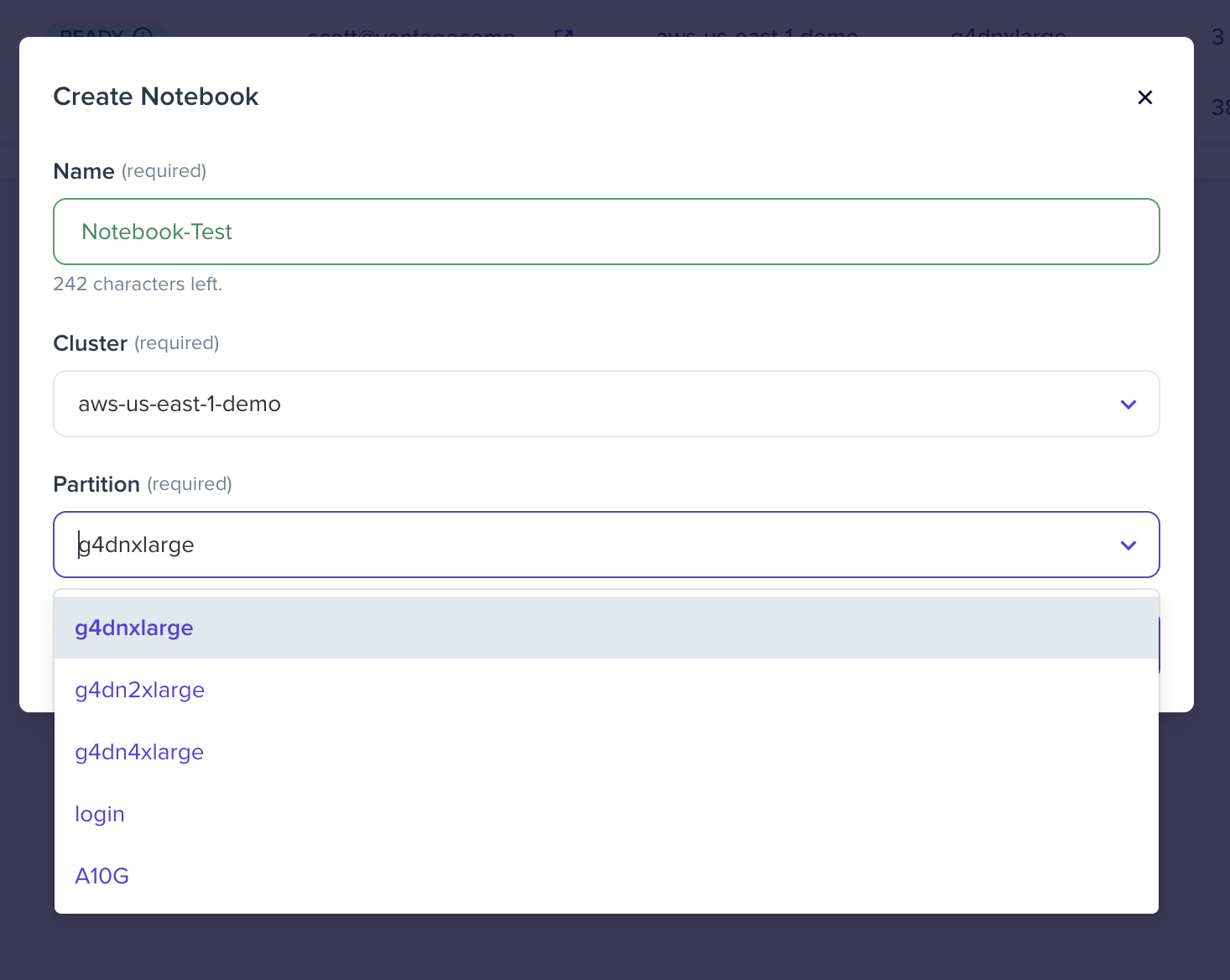
Click "Create Notebook".


Congratulations! You’ve successfully created your first notebook.
Select your new notebook to launch.

Launching a notebook in Vantage is just the beginning. With your environment up and running, you're now equipped to dive into data exploration, model development, and rapid experimentation, without infrastructure hassles.


Copyright © 2025 Vantage Compute, Corp. All Rights Reserved. nertia.ai